100 free, two-sided templates
QR Code and Digital Contact Business Card Templates
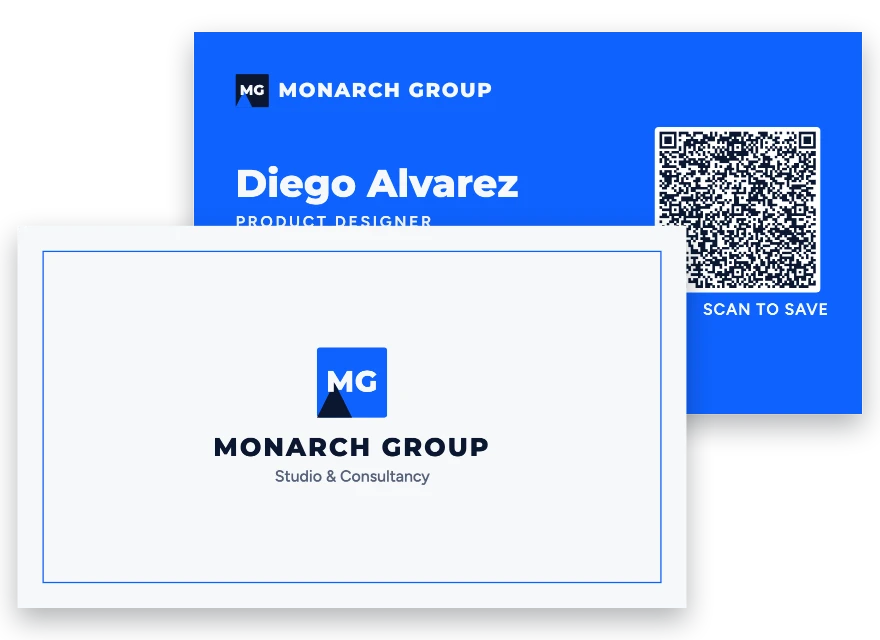
Every template here has a working QR code. By default it holds a contact card (vCard) built from the card's own details, so phones offer to save you as a contact; you can switch it to your website, email, phone, WhatsApp, a social profile or text.
The code updates when you change your details — but always test it with your phone before printing.
Design advice
How to design a great qr code business card
- Print the code at least about 16–20 mm wide.
- Keep a quiet zone of clear space around it.
- Dark code on a light background scans best.
- A contact (vCard) code means nobody types your details.
- Test the code at the size you'll print.
What to include
- Your name and role
- Company
- Phone and email
- Website
- QR code (contact card or link)
In this collection: Organic & Natural, Futuristic & Tech, Corporate, Minimal, Modern Geometric, Bold Typography styles; bold circle, column, tech grid, contact-first, split panel fronts; qr code back, logo back, social back, contact list, pattern back backs; 100 with a working QR code. Every card is editable on both sides, with every word inside the print safe area.
All 100 qr code business card templates
Search within qr code cards, filter by style, colour, mood, orientation or QR code, preview both sides with your own details, and open any template in the free editor.
100 templates · showing 24
24 of 100
Questions about qr code business cards
Sizes, bleed, QR codes and printing are covered on the Business Card Maker page.
What size are these business cards?
They open at 3.5 × 2 in (the US and Canadian standard). In Size & print you can switch to 85 × 55 mm, 90 × 50 mm, portrait or a custom size — the design is laid out again for the new shape, never stretched.
What does the QR code hold?
By default, a vCard contact with your name, title, company, phone, email, website and address — made on your device, with no tracking link. You can change it to a website, email, phone, WhatsApp, social profile or text in the QR code tool.