Create Beautiful Presentations Online with Professional Templates
Free Presentation Maker – Create Beautiful Slides Online
Create professional presentations with premium templates, turn your text into designed slides in seconds, edit every slide visually and download PowerPoint or PDF — free, in your browser.
- 2,500 templates
- Text to slides
- Editable PowerPoint
- 100% free
- Tables and charts
- Private
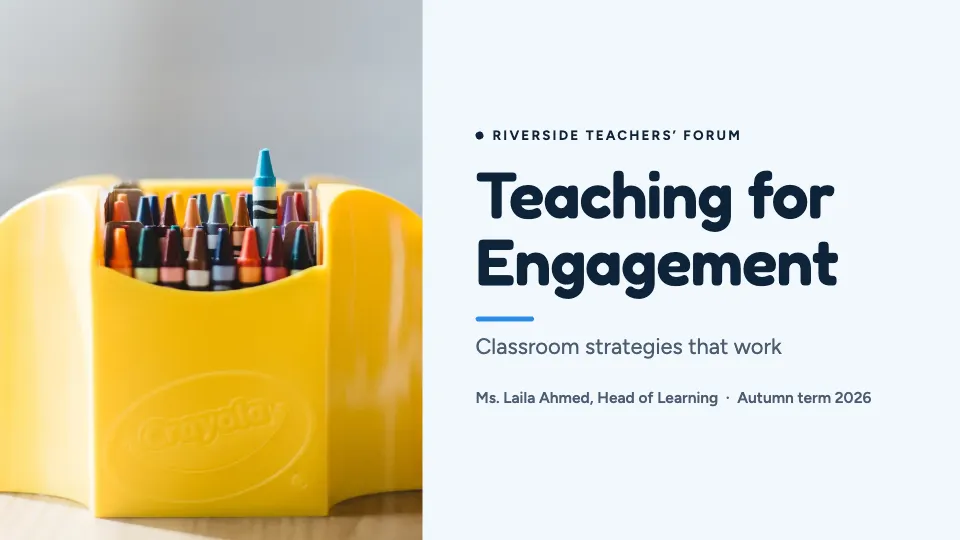
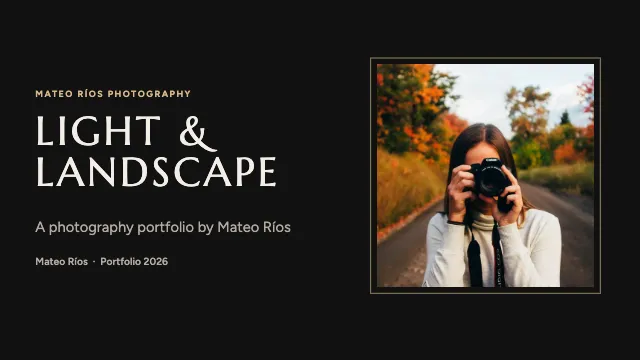

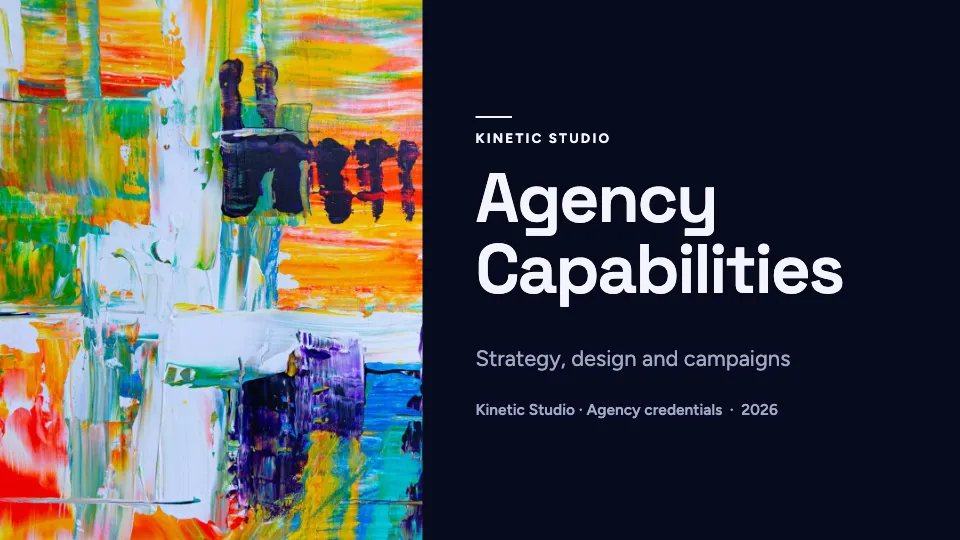
PowerPoint · PDF · PNG
Three ways to start
- Start with a templateBrowse 2,500 complete decks in 25 categories and make one yours.Browse templates
- Generate slides from textPaste notes, a report or a proposal — your words become a designed deck.Paste your text
- Create a blank presentationA clean cover and content slide, ready for your content and your own layout.Open the editor
Try it here
A complete deck, not just a cover.
Each template is a full presentation — cover, agenda, section dividers, text and image, statistics, charts, timeline, team and closing slides — designed as one system. Flip through this one and try a palette.
Presentation templates
Find the right presentation template.
2,500 templates — exactly 100 in each of 25 categories — in 18 art directions, from Swiss grids and executive navy to luxury noir, magazine pop and tech neon.
Business and Professional
Education and Knowledge
Creative and Lifestyle
Specialized and Modern
Featured templates
2,500 templates
The editor
Everything you need to make slides that work.
Edit every slide on the canvas
Double-click text to type, drag to move, resize and rotate with handles, align with guides and snapping, group items, and undo or redo any step.
Change layouts, keep content
Every slide type has several compositions. Switch a slide’s layout and its text, photos, chart data and table move across.
Slides from your text
Paste notes or a report: headings, lists, figures, quotes and tables become designed slides — your words only, with a plan you can adjust first.
Charts and tables
Column, bar, line, area, pie and donut charts from your numbers, and real tables — both stay editable when you download PowerPoint.
Palettes and font pairings
Curated palettes (corporate navy, black and gold, emerald and cream…) and font pairings restyle the whole deck at once.
Present and download
Present full-screen, then download an editable .pptx, a PDF or PNG images — all slides, the current one or a range.
How it works
How to create a presentation.
From a template, your own text or a blank slide to a finished deck you can present and download.
- 1
Start your way: pick one of the templates, paste your text to generate slides, or open a blank presentation.
- 2
Edit on the slide: double-click any text to type, drag to move, use the handles to resize or rotate, and replace photos with your own (double-click a photo to crop it).
- 3
Change any slide’s layout in Layouts — your text, photos, chart data and tables move into the new composition. Add slides of any type: agenda, statistics, chart, timeline, team, table, quote and more.
- 4
Add tables, charts with your own numbers, icons, shapes and images from Insert. Group items, align them with guides and snapping, and undo or redo any step.
- 5
Make it yours in Design: one of the curated colour palettes, a font pairing, or another template’s whole design applied to your slides.
- 6
Present full-screen to check the flow, then download an editable PowerPoint (.pptx), a PDF, or PNG images — all slides, the current slide or a range.
What is the M2Toolkit Presentation Maker?
The 2,500 templates are exactly 100 for each of 25 categories — business presentations, corporate strategy, proposals, company profiles, annual reports, marketing, sales and startup and investor pitch decks; teaching, academic, research, training and classroom slides; portfolios, creative agencies, photography, travel and food; technology, AI, data and analytics, health and wellness, and personal branding. Each is a complete deck of 10 to 14 slides, not a single cover.
Every template is a distinct combination of one of 18 art directions (Swiss grid, executive navy, editorial serif, luxury noir, midnight glow, geometric bold, magazine pop, colour block, soft pastel, tech neon, architectural, organic calm and more) and its cover composition — no two templates in a category share one — with its own palette, type pairing, slide sequence and a layout for every slide type chosen from 82 compositions. Colour swaps never count as new templates.
Before a template was accepted, every slide of its deck was composed and checked automatically: words inside the slide and clear of the footer, no text running into other text or a photo, readable type sizes, and enough contrast between text and what is behind it. Then every deck was drawn in a real browser and checked again with real fonts and pixels.
Generating slides from text uses your words only. Headings start slides; lists, “Label: text” points, figures like “38% faster”, quotes and tables get layouts made for them. Nothing is invented — no statistics, no quotes, no headings you didn’t write — and you see the slide plan before the deck is made.
PowerPoint and PDF downloads
The PowerPoint file is built for editing, not as pictures of slides: text stays text with the same fonts, sizes, colours and spacing; shapes are native shapes; photos keep an editable crop; tables are real PowerPoint tables; and column, bar, line, area, pie and donut charts are real charts with their numbers in an embedded sheet, so Edit Data works. It opens in PowerPoint, Keynote and Google Slides.
A few things have no PowerPoint equivalent and are placed as high-resolution pictures in exactly the same spot: line icons, soft colour glows, photo effects such as filters and cut-outs, and ring, progress and scatter charts. The download screen says how many objects that is for your deck.
Fonts: the design’s fonts are named in the file. PowerPoint uses them when they’re installed on the computer and substitutes similar fonts when they’re not; switch on “Use standard Office fonts” for a file that looks the same everywhere. PDFs are high-resolution images of every slide, so they look identical on any device.
Presentation design tips
One idea per slide. A slide that makes one point, with a clear heading that says it, is easier to follow than a slide that tries to cover everything.
Let the layout carry the structure: use statistics slides for numbers, a timeline for dates, a process slide for steps and a comparison for options — the audience understands the shape before reading the words.
Keep text large and short. Aim for six lines or fewer, and put the detail in what you say. The templates use body text around 20 pt and headings around 40 pt when exported to PowerPoint.
Use your real numbers. Charts and figures in the templates are examples labelled as such — replace them with your own data and say where it comes from.
Slide sizes
Change size at any time from the size button in the editor. Template decks open at the size you choose; existing slides can be scaled or centred into a new size.
| Size | Pixels | In PowerPoint | Best for |
|---|---|---|---|
| Widescreen 16:9 | 1920 × 1080 | 13.33 × 7.5 in | PowerPoint, Keynote and Google Slides default, most screens |
| Standard 4:3 | 1440 × 1080 | 10 × 7.5 in | Older projectors and classroom screens |
| 16:10 | 1920 × 1200 | 13.33 × 8.33 in | Laptops and many conference screens |
| A4 landscape | 1754 × 1240 | 12.18 × 8.61 in | Printed handouts |
| Portrait 4:5 | 1080 × 1350 | 7.5 × 9.38 in | Mobile-first and social decks |
| Custom | Any size | Matches the pixels | Screens and signage |
Who it’s for
- Founders with startup and investor pitch decks: problem, solution, traction, team and the ask.
- Managers and teams with business reviews, strategy, proposals, project kick-offs and annual reports.
- Teachers, trainers and students with lessons, workshops, thesis defences and research talks.
- Designers, photographers and agencies with portfolios and credentials decks.
- Restaurants, travel companies and wellness programmes with menus, itineraries and guides.
- Job seekers with about-me and interview presentations.
Mistakes to avoid
- Too many words on a slide: if people are reading, they’re not listening. Move detail to your notes.
- Small text: anything below about 18 pt is hard to read in a room. The editor’s Checks list flags text that is too small or overflows.
- Decorative charts: a chart needs real numbers and a source. Replace example figures before you present.
- Inconsistent styles: changing fonts and colours slide by slide looks unplanned. Change the palette or font pairing in Design so every slide follows.
- Missing fonts when sharing PowerPoint files: if the other computer doesn’t have the fonts, choose “Use standard Office fonts” when you download.
Good to know
- Sample photos are existing CC0 (public domain dedication) photographs from Wikimedia Commons, mostly Unsplash uploads; their creators and sources are listed on the photo credits page. Replace them with your own.
- Organisations, people, contacts (.example addresses) and figures in the templates are invented examples. Chart and statistics slides say so on the slide.
- Generating slides from text is rule-based and runs in your browser — no AI service, nothing uploaded, and nothing added that your text doesn’t contain.
- Presentations, favourites and recently viewed templates are saved in this browser only — not synced across devices or accounts. Download anything important.
- Popular and trending lists aren’t shown: there is no usage data, and we don’t invent it.
- PowerPoint files were tested in Microsoft PowerPoint for Mac. Fonts that aren’t installed are substituted by PowerPoint unless you choose standard Office fonts.
FAQ
Frequently Asked Questions
Content last updated . See how M2Toolkit works.
Also try:Infographic Maker· Text to PDF· Presentation Timer· Poster Maker
Is this presentation maker free?
Yes. All 2,500 templates, the editor, text-to-slides and every download (PowerPoint, PDF and PNG) are free, with no account, no watermark and no limits.
Can I download my presentation as PowerPoint?
Yes — as an editable .pptx. Text, shapes, photos (with their crop), tables and column, bar, line, area, pie and donut charts stay editable in PowerPoint. Icons, soft glows and photo effects are placed as high-resolution pictures.
Can I turn my notes into slides automatically?
Yes. Paste your text into Text to slides, check the slide plan (you can change any slide’s type or leave it out), and the deck is made in your chosen design using only your words.
How many templates are there?
2,500: exactly 100 in each of 25 categories, from business and investor decks to lessons, portfolios, travel and AI. Each is a complete deck of 10 to 14 designed slides.
Can I change a slide’s layout without losing my content?
Yes. In Layouts, pick another composition for the slide — its text, photos, chart data and table move into the new layout. Anything that doesn’t have a place in the new layout stays on the slide for you to position.
Will it open in Google Slides or Keynote?
Yes. Google Slides and Keynote both import .pptx files. Charts and tables import as their own objects in each app; fonts that aren’t available are substituted.
Can I make 4:3 or custom-size slides?
Yes. Choose 16:9, 4:3, 16:10, A4 landscape, portrait or any custom size. Templates open at the size you pick.
Are my presentations private?
Yes. Everything runs in your browser and your presentations are saved on this device only. Nothing is uploaded unless you share the downloaded file yourself.
Can I use the templates for commercial work?
Yes — your presentations are yours to use for business, teaching or client work. The sample photos are CC0 and the fonts are open-licence (SIL OFL).
Free · No sign-up · No watermark
Your next presentation, designed in minutes.
Pick one of 2,500 templates or paste your text, edit every slide and download PowerPoint or PDF.
Helpful guides.
Related tools.
Other free design and document tools.
- Text to PDFPaste any text and get a professionally designed PDF — headings, tables, code and links detected automatically, with live preview.PDF
- Infographic MakerPopular6,000+ free infographic templates — statistics, timelines, processes, funnels, dashboards and more — with charts that redraw from your data. Download PNG, JPG or PDF.Editors
- Poster MakerPopular3,500 free poster templates in 35 categories — business, events, music, food, real estate, education and art. Edit on the canvas, A4 to 24 × 36 in, print-ready PDF.Editors
- Flyer MakerPopular4,500+ free flyer templates for business, events, sales, restaurants and real estate — edit on the canvas, A4, A5, A6, Letter or social sizes, QR codes, and print-ready PDF with bleed, PNG or JPG.Editors
- Social Media Carousel MakerPopular7,000+ free Instagram and LinkedIn carousel templates in 81 design styles for every industry — edit every slide, then download PNG, JPG, ZIP or PDF.Editors
- Presentation TimerA big, colour-changing timer for talks — amber to wrap up, red when time's up.Date & Time